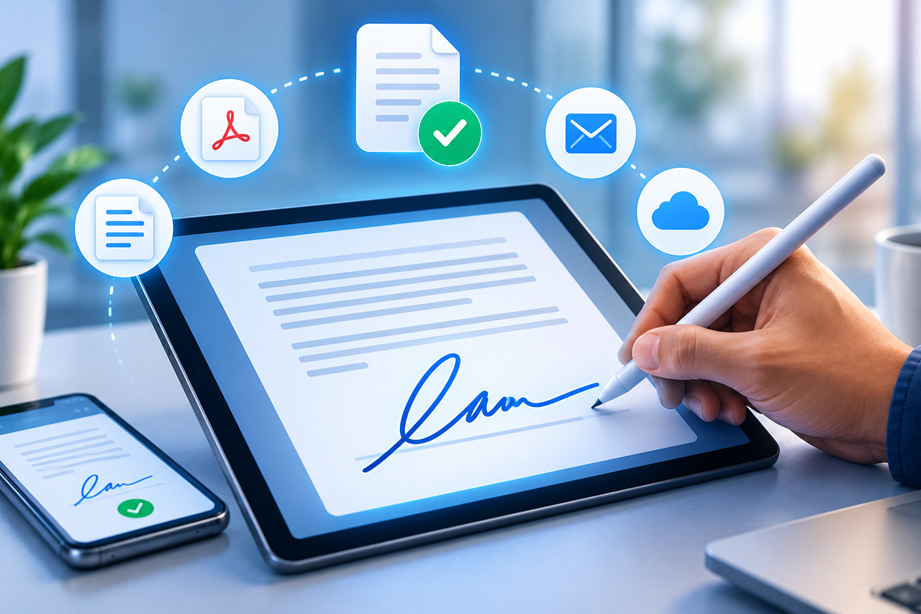
An electronic signature, or e-signature, is an electronic method used to indicate agreement, approval or intent in a document or record. It can be as simple as typing a name or drawing a signature, depending on the service and the requirements of the transaction.
The term sounds straightforward, but several different technologies and levels of identity assurance sit underneath it. Understanding those differences makes it easier to choose the right signing workflow without buying more complexity than you need.
How an electronic-signature workflow works
A typical e-signature process starts when someone prepares a document and identifies the people who need to sign. The signer receives an invitation, reviews the document, places or applies the required signature, and completes the process. The service then records the completed document and relevant transaction information.
Adobe's current documentation describes basic electronic signatures, stronger identification methods and certificate-based digital signatures as different forms of electronic signing. citeturn343087search0turn343087search1
Electronic signature versus digital signature
An electronic signature is the broader concept. A digital signature is a specific type of signature that uses a digital certificate and cryptographic techniques to bind the signature to the document and help protect its integrity.
That distinction matters because a simple “sign here” workflow and a certificate-backed signature solve different assurance requirements. Neither should automatically be described as the best option for every document.
Authentication: how do you know who signed?
Different signing workflows use different levels of signer verification. A basic process might rely on an email invitation. A more demanding workflow can add a one-time passcode, identity questions or identification-document checks.
The correct level depends on the risk and requirements of the transaction. Stronger verification can improve assurance, but it can also add friction for the signer.
What is an audit trail?
An audit trail is a record of activity associated with the signing transaction. Depending on the service, it can include events such as when a document was sent, viewed, signed or completed.
For business agreements, that history can be useful because the final PDF is only one part of the record. The supporting transaction information can help show how the signing process occurred.
Common documents that use e-signatures
- Freelance agreements and contracts
- Proposals and statements of work
- Employee and onboarding documents
- Client approvals
- Consent forms
- Internal policy acknowledgements
Whether an electronic signature is appropriate depends on the document and applicable law. Some transactions have special requirements.
Do you need an account to sign?
Not always. Many workflows let a recipient open a secure signing invitation and complete the document without becoming a full customer of the service. Other processes may require stronger identity verification or an account.
For client-facing workflows, test the recipient experience yourself. A signer who has to navigate unnecessary steps can delay a document that would otherwise take a minute.
Signing on phones and computers
Modern signing workflows can be completed from desktop and mobile devices. The practical question is how well the form, signature field and authentication steps work on the device your recipient is likely to use.
Before adopting a service, complete a test from both sides: sender and signer. This can expose awkward mobile layouts or extra authentication steps that are not obvious from a feature list.
Templates and repeatable workflows
If you send the same contract repeatedly, a template can reduce manual preparation. Templates are especially useful for freelancers and small teams because they remove repeated formatting and field-placement work.
Keep templates simple. A good template speeds up a routine document without hiding important changes that need human review.
Signing order and multiple signers
Some documents need several people to sign in a particular order. Others can be signed in parallel. Check how your chosen system handles multiple recipients, signing order, countersignatures and completion notifications.
These details become important when a contract must pass from a client to a freelancer, then to an internal approver, without manual forwarding.
Are electronic signatures legally valid?
Electronic signatures are legally recognized in many countries, but the details depend on the jurisdiction, transaction and document type. Some documents can have special formal requirements.
Adobe's current documentation distinguishes several signature types and notes that qualified signatures in the European Union are governed by specific rules. citeturn343087search0turn343087search2
For an important legal matter, use the relevant law and professional advice rather than relying on a general software description.
Electronic, advanced and qualified signatures
People often encounter terms such as basic electronic signature, advanced electronic signature and qualified electronic signature. These labels can refer to different levels of identity assurance and regulatory requirements.
The exact definitions are jurisdiction-specific. When a transaction requires a particular assurance level, verify the applicable standard and whether the service supports it rather than choosing based on a marketing label.
Security and privacy
Signing services can process contracts, personal information and commercial terms. Review access controls, authentication, document storage and the provider's security documentation.
Security is not simply a matter of whether the signature looks handwritten. A trustworthy workflow also needs appropriate controls around who can access the document, how the transaction is recorded and how completed files are retained.
Do electronic signatures replace PDF editors?
Not necessarily. A signing service solves the signature workflow. A PDF editor may still be needed to correct the document, rearrange pages, prepare a form or convert files before signing.
That separation can keep your workflow simpler. Use the smallest tool that handles the job rather than automatically adopting a complete document suite.
How to choose an e-signature service
- Identify the documents you sign most often.
- Decide how much signer verification is required.
- Check audit-trail requirements.
- Test the signer experience on desktop and mobile.
- Review templates, reminders and signing order.
- Check regional and document-specific legal requirements.
- Compare plan limits and total cost.
When you need stronger identity assurance
High-risk transactions may require more than an emailed signature request. If the business needs stronger proof of identity or certificate-backed signatures, choose a workflow designed for that requirement.
The extra assurance may be worth the additional setup. It should be based on the risk of the transaction, not simply on a desire to have the “most secure” option.
Final takeaway
An electronic signature is the broad idea of using an electronic process to indicate agreement or approval. The right workflow depends on how much identity assurance, auditability and document control the transaction requires. Start with the business process, then choose the simplest service that meets those requirements.
FAQ
Is typing your name an electronic signature?
It can be one form of electronic signature, depending on the process and applicable requirements.
What is the difference between an e-signature and a digital signature?
An electronic signature is the broader category. A digital signature is a certificate-based form that uses cryptographic methods to bind the signature to the document.
Are e-signatures legal worldwide?
Electronic signatures are recognized in many jurisdictions, but laws and exceptions vary. Check the law that applies to the particular transaction.
What is an audit trail?
It is a record of events connected to the signing transaction, such as sending, viewing and completing the document.
What happens after the signature?
A completed signature is only useful when the final document is easy to retrieve and the signing record is maintained appropriately. Decide where completed documents will be stored, who can access them, and how your team will know that the correct version is the one being used.
Why signing links and reminders matter
In real workflows, delays often come from people forgetting to finish rather than from the signature itself. Reminder settings, clear notifications and a simple recipient experience can therefore be more valuable than extra design features. Test the process from the signer's point of view before rolling it out.
Electronic signatures in contracts and proposals
Freelancers and small businesses commonly use e-signatures for agreements, proposals, statements of work and approvals. The document should still be reviewed for the commercial terms it contains; an e-signature service does not replace legal review of the underlying contract.
When a PDF editor is still useful
Signing software may not be the only tool you need. A document can still require page rearrangement, text correction, compression or conversion before it is sent for signature. Keeping preparation and signing as separate decisions can prevent you from paying for a larger suite than your workflow requires.
For routine client work, consistency is often the real benefit. A standard signing sequence can make it clear who prepares the document, who signs, where the completed copy is stored and who follows up if a signature is missing.
Sources checked
Signature definitions and legal frameworks vary by country and product. Verify current requirements before relying on an electronic signing workflow.