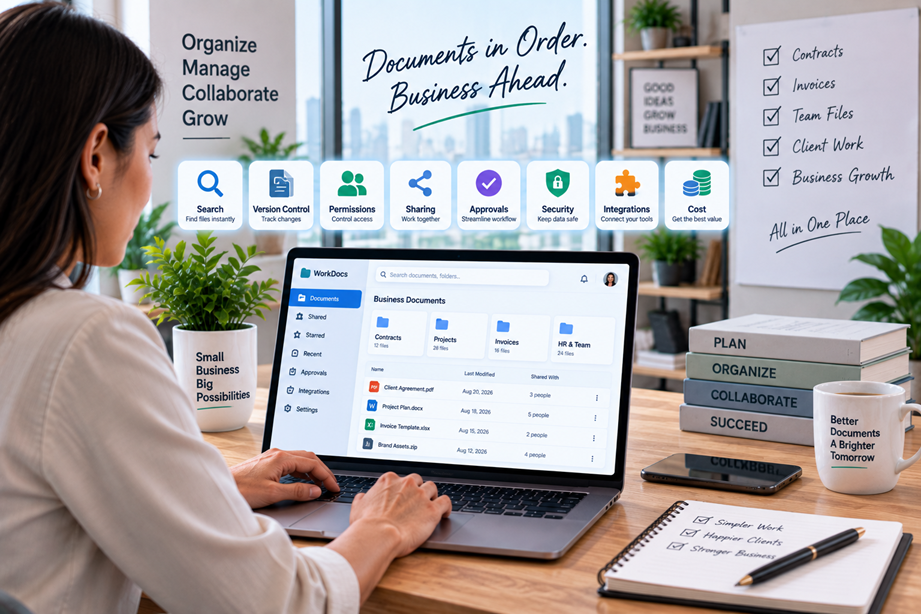
Document management becomes a real problem when files stop behaving like simple files. Contracts arrive by email, proposals live in shared folders, invoices have several versions, and nobody is quite sure which copy is current. A document-management system can bring order to that workflow—but only if the product matches the way the business actually works.
When does a small business need document management?
You may not need a dedicated platform if a small team has a modest number of files and a disciplined folder structure. The need becomes clearer when people waste time searching, duplicate documents keep appearing, clients need controlled access, or staff need to know which version is approved.
The value of document management is not simply more storage. It is better control over the document lifecycle: create, organize, find, share, revise, approve and retain.
What to compare before choosing
Start with search and organization. Then compare version history, metadata, permissions, external sharing, approvals, templates, workflow automation, integrations, audit records, security and administration. Pricing should come after you know which features the business really needs.
Quick comparison
| Platform | Best for | Key strengths | Watch for |
|---|---|---|---|
| PandaDoc | Proposal and signing workflows | Document creation, collaboration, e-signatures and workflow | Not every document-management problem is a sales-document problem |
| DocuWare | Structured document management | Capture, indexing, workflow and process automation | May be more than a very small team needs |
| Dropbox Business | File storage and collaboration | Centralized files, sharing, synchronization and team controls | Separate storage needs from formal workflow needs |
| Microsoft 365 | Microsoft-centered teams | Integrated Office and collaboration workflows | Permissions and governance require deliberate setup |
PandaDoc: strongest when documents drive a business process
PandaDoc is most relevant when documents are part of a proposal, contract or signing workflow rather than simply a storage problem. Its platform is centered on creating, sending, tracking and eSigning documents.
For a service business that creates proposals and repeat agreements, workflow focus can be more valuable than a general-purpose file cabinet. It is less compelling if the main problem is simply finding internal files.
DocuWare: structured document management
DocuWare positions its products around document management and workflow automation, including capturing documents, indexing information, automating processes and controlling access.
The strength is structure. Businesses with formal approvals and predictable document workflows may benefit from a dedicated system. Smaller teams should consider whether setup effort matches operational complexity.
Dropbox Business: familiar file-centered management
Dropbox Business is built around centralized file storage, synchronization, sharing and collaboration. For many small teams, that familiar model can solve much of the document problem without a specialist document-management platform.
The distinction matters: storing and sharing files is not the same as formal approval or records workflow. If you need process automation, look beyond storage alone.
Microsoft 365 document workflows
Businesses already committed to Microsoft 365 may gain value from keeping documents close to Word, Excel, Teams and related collaboration tools. The advantage is less context switching and easier adoption. The challenge is governance: folder structures, permissions, naming conventions and ownership need to be designed deliberately.
Search is the feature people notice later
Finding a document quickly is one of the clearest everyday benefits of good document management. Compare full-text search, filters, metadata, naming conventions and whether the system can surface the right version without users remembering exactly where it was stored.
Version control prevents avoidable mistakes
Shared documents can create “final”, “final-new” and “final-approved” copies surprisingly quickly. Version history helps teams understand what changed and restore an earlier version when necessary.
Permissions and external sharing
Small businesses often work with clients, contractors and suppliers. Compare whether you can give someone access to one document or folder without exposing everything else. Check link controls, guest access, download permissions and expiry options where relevant.
Approvals and repeat workflows
If every proposal needs internal review before it goes to a client, workflow can reduce manual follow-up. Compare approval stages, notifications, templates and automation. Not every business needs formal workflow tools; they become valuable when the same handoffs happen repeatedly.
Security and retention
Document systems can involve contracts, employee records, invoices and customer information. Review access controls, authentication options, audit records, retention features and the provider's security documentation.
Integrations matter
A document platform becomes more useful when it fits the tools your team already uses. Check integrations with email, Office applications, CRM systems, accounting tools, cloud storage and e-signature workflows.
Implementation effort is part of the cost
A powerful platform can fail because the team never adopts it. Consider migration, metadata design, permissions, training and ongoing administration. A simpler workflow that everyone follows can outperform a sophisticated system that only one person understands.
Pricing and total value
Compare users, workflows, integrations, storage and advanced permissions—not just headline price. Also consider the cost of the problem: if staff spend hours searching for documents, time saved may justify a more capable system.
Best choice by situation
- Sales and proposal workflows: PandaDoc.
- Structured document management: DocuWare.
- File-centered collaboration: Dropbox Business.
- Microsoft-heavy teams: Microsoft 365 document workflows.
How to choose
- Identify the document problems causing the most friction.
- Decide whether storage, search, sharing, approvals or lifecycle control is the main need.
- List internal and external users.
- Identify required integrations.
- Estimate migration and administration effort.
- Compare the plan that solves the actual problem.
Use Tervilo for individual document tasks
A document-management system does not replace every document utility. When you need to convert or compress a PDF, a focused Tervilo tool can sit alongside the larger workflow.
Final recommendation
Choose document-management software according to the problem you are solving. PandaDoc fits document-led sales and signing workflows, DocuWare is aligned with structured management and automation, Dropbox Business suits file-centered collaboration, and Microsoft 365 may be the natural choice for teams already using its ecosystem.
FAQ
Is document management the same as cloud storage?
No. Cloud storage mainly provides file access; document management can add search, versioning, permissions and workflow.
Does every small business need a dedicated system?
No. A disciplined shared-drive structure may be sufficient for a simple operation.
What is more important, storage or search?
For many teams, finding and validating the right document is more valuable than simply adding capacity.
Should an all-in-one platform replace every tool?
No. Keep specialist tools where they add value and integrate them where practical.
Sources checked
Verify current product features, plan limits and security documentation before purchase.
Document management versus shared folders
A shared folder becomes difficult when nobody remembers why a file is there, which version is approved or who should be allowed to change it. Document management adds structure around those problems. That structure is useful when a team has repeatable processes, not simply because a business has more files.
A useful test is to pick one real workflow—such as a proposal, supplier document or onboarding form—and map it from creation to approval to storage. If a platform clearly improves that workflow, it has a business case. If it only adds another interface over the same folders, it may not.
Document naming is still important
Good software cannot completely compensate for poor habits. Consistent naming, clear ownership and sensible folder or metadata rules make search and recovery much easier. A document-management system should reduce the effort required to maintain those conventions, not encourage a more complicated filing system than the team needs.
Who should have access?
Start with roles rather than individual names. Finance may need one set of documents, operations another, and external clients only a carefully selected subset. Role-based access and controlled sharing reduce the temptation to make everything visible just because it is easier.
Migration and onboarding checklist
- Choose one document workflow to pilot.
- Remove obvious duplicates and stale versions before migration.
- Define ownership and access rules.
- Test search and version history with real files.
- Train the team on the smallest set of rules needed for consistency.
Search and metadata are not the same thing
Some systems rely on metadata such as document type, client, department or project. Others depend more on full-text search. Ask how your team actually remembers a document. If people search by client name, invoice number or document title, make sure the system supports those patterns without forcing elaborate tagging.
Retention should match the business
Not every document needs to be kept forever. Decide which records need longer retention and who is responsible for them. Software can help enforce a process, but the retention policy itself should come from the business and any applicable obligations.
What a good rollout looks like
Choose one department or workflow first instead of moving every file on day one. A pilot shows whether the search, permissions and naming model makes sense before the whole team depends on it. Use the pilot to remove unnecessary fields and steps.
For a small business, the simplest successful system is usually the one that people can use consistently. Build the structure around the documents that matter most, then expand it after the team has learned the workflow.
That is also why a document-management project should have an owner. Someone should maintain permissions, review the structure and decide when old workflows can be retired.