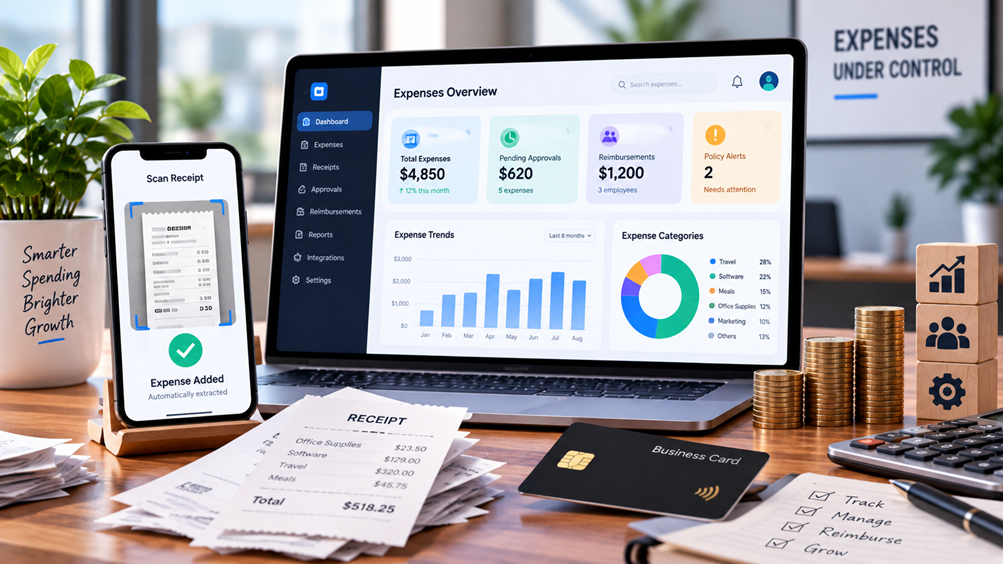
Best Expense Management Software for Small Teams
Small teams rarely need a complicated finance system on day one. But once employees start submitting receipts, paying for business expenses personally, using company cards, traveling for work, or asking for reimbursements, spreadsheets and email can quickly become difficult to manage.
The right expense management software for small teams can bring those activities into one workflow: capture the expense, apply the right policy, get approval, reimburse the employee when necessary, and send accurate information to accounting.
The challenge is that different products solve different versions of this problem.
Some are built around corporate cards and spending controls. Others are better suited to employee reimbursements. Some are inexpensive enough for a three-person business, while others make more sense as a startup's finance operation becomes more sophisticated.
This guide compares six options for small teams and focuses on what actually matters when choosing one: cost, reimbursements, receipt capture, cards, approvals, accounting integrations, international expenses, and the amount of financial administration the software can remove.
Research note: Product features and pricing can change. Pricing discussed below reflects information available from the providers' current pages checked in September 2026.
Quick Comparison
| Software | Best suited for | Free option | Starting price* | Reimbursements | Corporate cards | Accounting |
|---|---|---|---|---|---|---|
| Ramp | Card + spend management | Yes | $0/user/month | Yes | Yes | QuickBooks, Xero |
| Expensify | Employee reimbursements | Yes | $5/member/month | Yes | Yes | QuickBooks, Xero |
| Zoho Expense | Budget-conscious small teams | Yes | $0; paid from $3/user/month annually | Yes | Yes | Yes |
| BILL Spend & Expense | Card-based spend management | Yes | $0/user/month | Yes | Yes | Integrations available |
| Brex | Growing startups | Plan-dependent | Contact provider | Yes | Yes | Accounting integrations |
| QuickBooks Online | Businesses already using QuickBooks | No separate free plan | $38/month list price for Simple Start | Expense tracking | Connected financial workflows | Native |
*Pricing varies by country, billing method, eligibility, plan and usage. Check the provider before purchasing.
1. Ramp — Best for Corporate Cards and Spend Controls
Ramp takes a broader approach than a traditional expense-reporting application. Its current Free plan is designed for smaller teams and combines corporate cards, travel and expense management, reimbursements, receipt collection, budgets, reporting and accounting integrations.
Ramp currently lists its Free plan at $0 per user/month. Paid plans provide additional controls and capabilities.
The distinction matters.
If your employees mainly submit occasional personal expenses for reimbursement, Ramp may offer more infrastructure than you need. But if your team is issuing company cards and you want to control where, when and how employees spend, its approach becomes more relevant.
What Ramp does well
- Corporate and virtual cards
- Spending limits and controls
- Receipt collection and matching
- Employee reimbursements
- Approval workflows
- Travel and expense management
- Budgets and reporting
- QuickBooks Online and Xero integrations
- Automated accounting workflows
Pricing
Ramp currently lists:
- Free: $0/user/month
- Plus: Paid plan with additional capabilities and platform fees
- Enterprise: Custom pricing
The free tier already includes a substantial set of expense and card-management functions, although eligibility and product availability can vary.
Best fit
Ramp is worth considering when your small team wants expense management and company-card controls in the same system.
It becomes particularly relevant for startups where spending is growing quickly and finance needs more control than a simple reimbursement app provides.
2. Expensify — Best for Employee Reimbursements
Expensify approaches the problem from the expense-reporting side.
That makes it particularly relevant for teams where employees frequently pay for business expenses themselves and then need to be reimbursed.
Its current pricing structure includes a free Submit option, Collect at $5 per member/month, and Control with more advanced capabilities and pricing that varies by arrangement.
What Expensify does well
- Receipt scanning
- Expense reports
- Mileage tracking
- Employee reimbursements
- Corporate card management
- Expense and travel approvals
- QuickBooks and Xero integrations
- ACH reimbursement
- Expense collaboration
- Advanced approval workflows
Pricing
Current US pricing includes:
- Submit: Free
- Collect: $5/member/month
- Control: Pricing varies according to the plan and arrangement
Expensify's pricing model is more complicated than a simple flat per-user subscription. Annual subscriptions and Expensify Card usage can also affect pricing in qualifying situations.
Best fit
Expensify makes the most sense when the core problem is:
“Our employees are paying for business expenses and we need a better reimbursement process.”
For reimbursement-heavy consulting, professional-services, travel or remote teams, that distinction can matter more than having the largest possible collection of financial features.
3. Zoho Expense — Best for Budget-Conscious Small Teams
Zoho Expense has one of the clearest small-team entry points in this comparison.
Its current US pricing page lists a Free plan for up to three users. The annual Standard plan is listed at $3 per user/month, while Premium is listed at $5 per user/month when billed annually.
The Free plan includes features such as:
- AI-powered receipt OCR
- Expense reports
- Personal-card expense tracking
- Mileage tracking
- Accounting integrations
- Multi-currency expenses
- Basic audit capabilities
- Receipt storage
The Standard plan adds capabilities such as corporate card management, card feeds, multiple expense policies, custom roles, cash advances and direct bank reimbursements.
A useful detail for global teams
Zoho Expense supports multi-currency expenses and automated currency conversion. This can be useful for remote and international teams that regularly incur expenses in different currencies.
For businesses operating in India, Zoho also provides India-specific functionality around GST, GSTINs and organizational locations.
Pricing
Current annual pricing displayed by Zoho includes:
- Free: $0, up to 3 users
- Standard: $3/user/month
- Premium: $5/user/month
Local taxes and regional pricing can affect the final amount.
Best fit
Zoho Expense is worth considering for teams that want a dedicated expense-management platform without immediately moving into a more expensive spend-management system.
It is also worth considering if your company already uses other Zoho products.
4. BILL Spend & Expense — Best for Card-Based Spend Management
BILL takes a different route from traditional reimbursement software.
Its current Spend & Expense offering is listed at $0 per user/month for the software. It combines corporate cards, budgets, expense tracking, reimbursements, receipt capture and spending controls.
The important qualification is that $0 software pricing does not mean every financial service is free. Card and payment-related fees, eligibility requirements and other conditions can still apply.
What BILL Spend & Expense includes
- Physical and virtual cards
- Budgets
- Spending controls
- Expense tracking
- Employee reimbursements
- Mobile expense management
- Transaction tracking
- Receipt capture and matching
- Transaction coding
- Accounting integrations
Why the pricing needs context
A headline such as “free expense management” can be misleading if the reader assumes there are no costs whatsoever.
The software subscription has no per-user fee, but businesses can still encounter costs associated with cards, payments or other BILL products.
Best fit
BILL Spend & Expense is worth considering for a small company that wants to combine:
company cards + budgets + expense tracking + reimbursements
without adding another per-user software subscription.
5. Brex — Best for Growing Startup Finance Operations
Brex is positioned more broadly as a unified spend platform rather than simply an expense-reporting application.
Its platform combines corporate cards, expense management, reimbursements, travel and bill-pay capabilities. It also provides APIs and integrations for businesses that need to connect their financial workflows with other systems.
What Brex focuses on
- Corporate cards
- Expense management
- Reimbursements
- Receipt matching
- Spending controls
- Budgets
- Travel
- Bill pay
- Accounting workflows
- API-based integrations
The trade-off
Brex is not necessarily the first thing a three-person business needs.
If your current requirement is simply:
“Employees upload receipts and I approve reimbursements.”
a dedicated reimbursement-focused product may be simpler.
Brex becomes more relevant when the problem expands into:
“We need to control company spending across cards, employees, departments, budgets and financial workflows.”
Best fit
Growing startups that expect their expense and spend-management requirements to become more sophisticated.
6. QuickBooks Online — Best If You Already Use QuickBooks
There is an important question that many expense-management comparisons overlook:
Do you actually need another expense-management application?
If your business already uses QuickBooks Online, the answer may be no.
QuickBooks lets businesses record and categorize expenses, connect financial accounts and maintain those transactions inside the accounting system.
The current US pricing page lists Simple Start at $38/month before the promotional discount displayed by Intuit. Simple Start is an accounting plan rather than a dedicated employee expense-management subscription.
What QuickBooks does well
- Expense recording
- Expense categorization
- Bank and financial-account connections
- Bookkeeping
- Financial reporting
- Invoicing
- Accounting automation
- Financial record keeping
The limitation
QuickBooks is fundamentally an accounting platform, not a specialized employee expense-management system.
If your team needs sophisticated:
- Corporate-card controls
- Employee reimbursement workflows
- Approval chains
- Spending policies
- Department budgets
you may eventually need dedicated expense or spend-management software.
Best fit
Very small businesses that already use QuickBooks and mainly need accurate expense tracking rather than a separate employee-spend platform.
Expense Management Software Compared by Workflow
Instead of asking which product has the longest feature list, start with your actual problem.
| If your main problem is... | Look for... |
|---|---|
| Employees submit lots of reimbursements | Expensify |
| Company-card spending is growing | Ramp or BILL |
| You need a low-cost dedicated expense system | Zoho Expense |
| You want card and budget controls | Ramp or BILL |
| Your startup is scaling its finance stack | Brex |
| You already use QuickBooks | QuickBooks Online |
| You need multi-currency expense handling | Zoho Expense and other global platforms |
| You have only a few occasional expenses | Your existing accounting system may be enough |
This is not a ranking. The appropriate choice depends heavily on how your team spends money.
Do You Need Expense Management Software at All?
Not every small business does.
A five-person company with only a handful of monthly expenses may be perfectly comfortable using its accounting software plus a simple receipt process.
Dedicated software becomes more useful when:
- Several employees submit expenses
- Reimbursements happen frequently
- Employees travel
- Multiple company cards are being used
- Managers need approval workflows
- Receipts are regularly missing
- Spending policies are difficult to enforce
- Finance spends too much time manually entering transactions
- Accounting reconciliation is becoming repetitive
The transition usually happens when expense administration itself becomes a recurring cost in someone's working day.
At that point, paying for software can make sense even if the subscription does not directly reduce the amount of money the company spends.
How Much Does Expense Management Software Cost?
The pricing models are surprisingly different.
Per-user pricing
Expensify's Collect plan, for example, is currently listed at $5 per member/month in US pricing.
Active-user pricing
Some platforms charge according to active users rather than every employee in the organization.
This can be useful when only a portion of the team regularly submits expenses, but you need to understand exactly how the vendor defines an active user.
Free software
Ramp currently has a $0/user/month Free plan, while BILL Spend & Expense also lists $0/user/month software pricing.
But “free” needs to be examined carefully. Card eligibility, transaction fees, payment fees, credit approval and additional modules can still affect the total cost.
Accounting-suite pricing
With QuickBooks, expense tracking is part of a broader accounting subscription rather than a standalone expense-management charge.
The real question
Don't ask only:
“How much does this software cost per user?”
Ask:
“How much will my actual team spend each month, including minimum seats, card/payment fees, accounting software and the features we actually need?”
That is a much better way to compare expense software.
What Features Matter Most for a Small Team?
1. Receipt Capture
Employees should be able to capture a receipt quickly from their phone or computer.
OCR can reduce manual data entry, but important transactions should still be reviewed when necessary.
2. Reimbursements
If employees pay from their own bank account or personal card, the system should make reimbursement straightforward.
3. Corporate Cards
If the company provides cards, look for controls around:
- Spending limits
- Merchant categories
- Departments
- Individual employees
- Virtual cards
- Transaction monitoring
4. Approval Workflows
A manager should be able to see what was purchased, why it was purchased and whether it follows company policy.
5. Accounting Integrations
QuickBooks and Xero are particularly important for many small businesses.
The goal is to avoid entering the same transaction twice.
6. Multi-Currency Support
This matters for remote and international teams.
Zoho Expense, for example, supports multi-currency expenses and automated currency conversion.
7. Mobile Access
Expense reporting often happens immediately after a purchase—not when the employee returns to a desktop.
8. Reporting
A small business does not necessarily need enterprise analytics.
But it should be able to answer:
- How much did we spend?
- Where did we spend it?
- Who spent it?
- Which department or project was it for?
- Which expenses are awaiting approval?
How to Choose Expense Management Software for a Small Team
Start with the payment method
Ask whether employees primarily use:
- Personal cards
- Company cards
- Virtual cards
- Bank accounts
This immediately narrows the field.
Then examine reimbursement volume
If reimbursements are rare, you may not need a dedicated reimbursement platform.
If employees submit expenses every week, automation becomes much more valuable.
Check your accounting software
If you already use QuickBooks, Xero or another accounting platform, prioritize a solution with a reliable integration.
Calculate your real monthly cost
Don't compare advertised prices alone.
Calculate:
Software + minimum seats + card/payment fees + additional modules
Check geographic support
For international teams, verify:
- Supported currencies
- Reimbursement methods
- Tax functionality
- Card availability
- Country restrictions
Test the receipt workflow
The best-looking dashboard doesn't matter much if employees find it annoying to submit expenses.
Think about the next 12–24 months
A company with five employees today might have 20 next year.
You don't necessarily need enterprise software now, but you also don't want to rebuild your entire expense process after six months.
Free vs. Paid Expense Management Software
A free plan can be perfectly adequate for a small team.
But check what is actually included.
A free plan might provide:
- Expense tracking
- Receipt capture
- Basic reports
while paid plans add:
- Corporate cards
- Reimbursement automation
- Advanced approvals
- Accounting integrations
- Policy enforcement
- Reporting
- Multi-entity management
For example, Zoho's Free plan supports up to three users, while its Standard plan adds more advanced card, policy and reimbursement capabilities.
Similarly, Ramp's Free plan already includes corporate cards and several expense-management capabilities, while paid plans add more advanced automation and controls.
Expense Management Software vs. Spreadsheets
A spreadsheet is not automatically a bad solution.
For a tiny team with a low number of monthly transactions, it can be sufficient.
The problem starts when someone has to manually:
- Collect receipts
- Check the expense
- Classify it
- Request approval
- Calculate reimbursement
- Update the spreadsheet
- Enter the transaction into accounting
- Reconcile the payment
At that point, the spreadsheet isn't necessarily saving money. It may simply be transferring the software cost into employee time.
Do Small Teams Need Corporate Cards?
Not necessarily.
Corporate cards are most useful when you want to control company spending before the transaction happens.
Reimbursements work differently: the employee spends first and the company reimburses later.
Consider corporate cards when:
- Employees make frequent business purchases
- Recurring subscriptions need centralized ownership
- Managers need spending limits
- You want immediate visibility into transactions
- Employees regularly travel
- You want to reduce out-of-pocket spending
If these situations don't apply, a reimbursement-focused system may be simpler.
Frequently Asked Questions
What is expense management software?
Expense management software helps businesses capture, categorize, approve, track and reconcile employee and company expenses. Depending on the product, it can also manage reimbursements, corporate cards, spending policies, budgets and accounting integrations.
What is the best expense management software for a small team?
There isn't one solution that fits every small team. The appropriate choice depends on whether your main requirement is reimbursement, corporate cards, spending controls, accounting, or low-cost expense tracking.
Is there free expense management software?
Yes. Ramp currently lists a Free plan at $0 per user/month, BILL Spend & Expense lists $0 per user/month for its software, and Zoho Expense offers a Free plan for up to three users.
Is Expensify free?
Expensify currently offers a free Submit plan with receipt scanning, mileage tracking and expense reports. Its paid Collect plan currently starts at $5 per member/month in US pricing.
Can expense software reimburse employees?
Yes. Reimbursement functionality is available in several products in this comparison, including Ramp, Expensify, Zoho Expense and BILL Spend & Expense.
Is QuickBooks enough for small-business expenses?
It can be, particularly when the business already uses QuickBooks and mainly needs expense recording and accounting. More complex employee reimbursement, corporate-card and spending-control requirements may justify dedicated expense software.
What is the difference between expense management and accounting software?
Expense management focuses on controlling and processing spending, including receipts, approvals, reimbursements and company cards. Accounting software focuses on maintaining the broader financial records of the business. Some platforms overlap, but they are not identical.
What should I look for in expense software?
Start with receipt capture, reimbursement workflows, corporate-card support, approval controls, accounting integrations, mobile access, reporting, currency support and total cost.
Final Takeaway
The best expense management software for a small team is not necessarily the platform with the largest feature list.
Start with the problem you are trying to solve.
If employees regularly pay for business expenses themselves, reimbursement workflow should be near the top of your list.
If your company is issuing cards and wants to control spending, look closely at card management, budgets and spending policies.
If you're trying to keep costs low, Zoho Expense, Ramp and BILL's current entry-level offerings are worth examining based on their current pricing structures.
And if your business already runs on QuickBooks and has relatively simple expense requirements, you may not need another platform at all.
The most useful comparison is therefore not simply which software has the most features, but which workflow fits the way your team actually spends money.
Related Tervilo Resources
- Best AI Tools for Spreadsheets and Data Analysis
- Best Excel Alternatives: 6 Spreadsheet Tools Compared
- Best AI Productivity Tools for Professionals
Sources Checked
- Ramp Pricing
- Expensify Pricing
- Expensify Plan and Pricing Information
- Zoho Expense Pricing
- Zoho Expense India Pricing
- BILL Pricing
- Brex Expense Management
- Brex Developer Platform
- QuickBooks Online Pricing
- QuickBooks — Enter and Manage Expenses
- Fit Small Business — Business Expense Tracker Apps
Pricing, availability, features, eligibility and plan limits can change. Check the provider's current information before purchasing or relying on a particular feature.