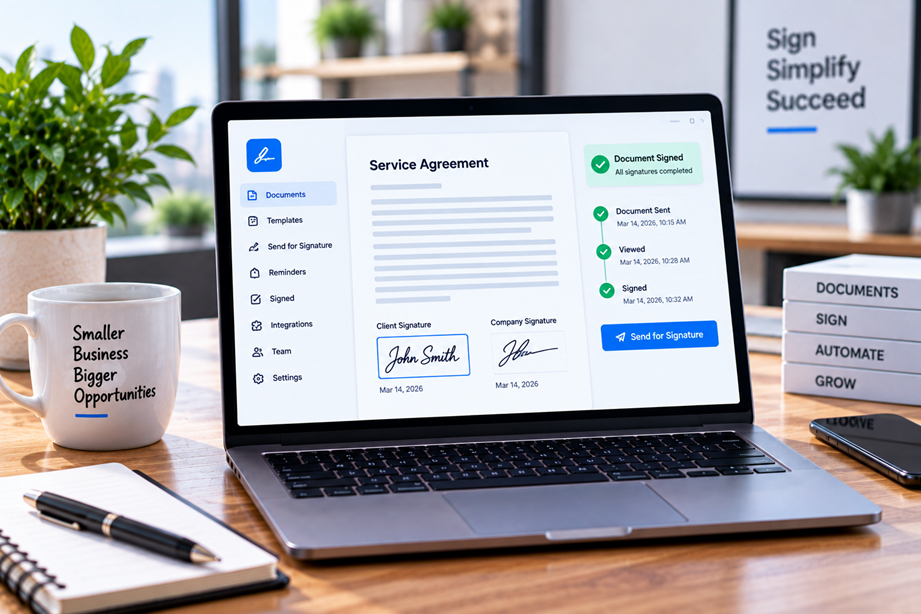
Small businesses usually do not need the most complicated contract platform available. They need a dependable way to prepare a document, send it to the right people, collect signatures, keep a usable audit trail and know when the process is complete. The best e-signature software is therefore the one that matches the business's approval workflow without adding unnecessary administration.
What to compare first
Start with the signing workflow. Then compare templates, reminders, signer order, audit trails, integrations, team permissions, document management, security controls and pricing. If the business sends similar agreements repeatedly, reusable templates and automated reminders can save more time than a long list of advanced features.
Quick comparison
| Platform | Best for | Key strengths | Watch for |
|---|---|---|---|
| PandaDoc | Proposals and signing workflows | Document creation, templates, e-signatures and workflow | More than signing-only users may need |
| Adobe Acrobat | PDF preparation and signing | Forms, signing, editing and conversion | Compare signing needs with plan level |
| DocuSign | Dedicated signing workflows | Templates, signing, tracking and integrations | Check transaction and feature limits |
| Dropbox Sign | Simple e-signature tasks | Straightforward signing and templates | Review current plan features |
PandaDoc
PandaDoc currently positions its platform around document workflows that include proposals, contracts, e-signatures and related business processes. Its current partner materials also include an affiliate path for publishers and creators, making it a natural candidate for an article such as this once Tervilo's own affiliate account is approved.
PandaDoc is especially relevant when signing is part of a wider sales or proposal workflow rather than an isolated signature request.
Adobe Acrobat
Adobe Acrobat's current business offering combines PDF editing with signing, sharing, administration and document workflow capabilities. Adobe also provides web-based PDF and e-signing tools.
Acrobat can be attractive when the team already works heavily with PDFs and wants signing inside the same document environment.
What a small business should avoid
Do not buy an enterprise-heavy platform solely because it has a long feature list. A five-person agency may get more value from a simple, repeatable signing workflow than from a complex configuration system designed for a much larger organization.
Templates and repeat workflows
If you send the same proposal or agreement every week, templates can materially reduce manual work. Compare how documents are reused, how recipient roles are assigned and whether reminders can be automated.
Audit trails and records
An e-signature workflow should make it clear what document was sent, who acted on it and when. Keep in mind that software features do not by themselves determine the legal enforceability of a document in every country or circumstance.
Integrations matter
For a small business, the most valuable integration is often the one that removes double entry. Check whether the platform works with the tools you already use for CRM, document storage, workflow or payments.
Security and compliance claims
Check vendor documentation for security and compliance features, but avoid assuming that a provider's certification or feature list automatically makes every document legally valid everywhere. The business's contract process and applicable law still matter.
Pricing and value
Compare the number of users, documents or envelopes, included templates, integrations and advanced features—not just the advertised starting price. A low entry price can become less attractive if the workflow you actually need requires an upgraded plan.
How to choose
- Estimate how many documents need signatures each month.
- Decide whether templates are important.
- Identify signer-order and reminder requirements.
- List the systems that need integration.
- Review audit-trail and security needs.
- Compare total team cost at the plan level that actually contains those features.
Best fit by use case
- PDF-first document workflow: Adobe Acrobat.
- Sales, proposals and document workflows: PandaDoc.
- Simple occasional signing: a lighter signing-focused service may be enough.
Final recommendation
For small businesses, the best e-signature platform is usually the one that removes friction from the existing document workflow. Choose based on the number of documents, repeatability, integrations, records and user roles you actually need—not enterprise features you may never use.
FAQ
Is e-signature software legally valid everywhere?
No single software feature guarantees legal validity in every jurisdiction or transaction. Use the applicable contract and legal requirements for the document and country involved.
Do small businesses need templates?
They are especially useful when the same agreements, proposals or forms are sent repeatedly.
Should signing software replace document storage?
Not necessarily. Compare the signing platform's storage and retention features with the business's existing document-management system.
Signer experience matters
A signing process is only useful when recipients can complete it without confusion. Compare the number of steps, mobile experience, reminders, document-preview behavior and how completed records are returned to the business.
Think about the document lifecycle
Signing is one stage in a document workflow. Consider how a document is prepared, sent, signed, stored and retrieved later. The best platform for your business may be the one that removes friction across that whole lifecycle rather than the one with the most signing options.
Design the complete signing workflow
A useful small-business process usually looks like prepare → send → sign → track → store. Choose software that makes those stages easy enough that staff do not fall back to email attachments and manual follow-up.
Use a template without losing review
Templates remove repetitive work, but the final document should still be checked for names, dates, prices, scope and attachments. Automation should reduce routine work, not remove judgment.
Know when a simple approach is enough
A small firm that sends a few low-risk documents each month may not need a large platform. Start with the minimum level of workflow and move up only when volume, signer requirements or record-keeping makes it worthwhile.
Compare the sender and signer experience
Software may look easy from the sender's side while creating friction for the recipient. Test the complete journey: prepare the document, send the request, open it as a signer, complete the fields and retrieve the completed copy.
Match verification to the document
Some transactions need little more than a simple electronic signature. Others may justify stronger identity verification or a certificate-based process. Choose based on the document's risk and applicable requirements.
Do not lose the final record
A completed signature is only useful if the signed document and relevant transaction information can be found later. Decide where finalized agreements live before rolling out the signing workflow.
Review before every send
A reusable signing workflow should still include a human check of the final document. Confirm the parties, dates, amounts, attachments and signature fields before the request goes out.
The software should reduce repetitive administration, but it should not become a reason to stop reviewing the document itself.
Build a repeatable signing process
Once a workflow is established, document who prepares the file, who checks it, who sends it, where the completed version is stored and what happens if a signer does not respond. Clear ownership prevents the software from becoming another place where important documents get lost.
Sources checked
Product features and program information can change. These official pages were checked during preparation; recheck the current plan, feature and partner terms before activation.