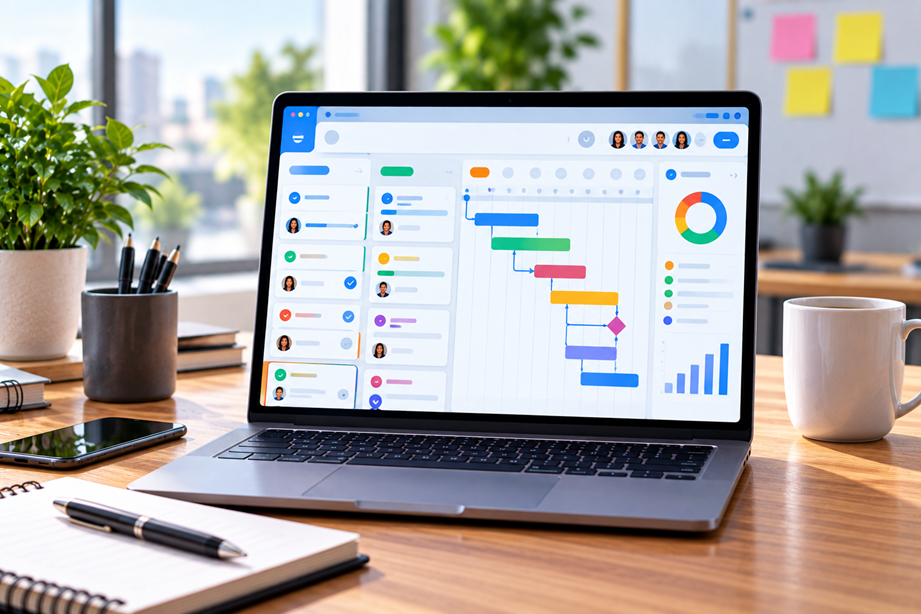
Small teams usually need visibility rather than complexity. A good project management system should answer what needs to be done, who owns it, what is due next, and what is blocking progress. The best choice is the platform that makes those answers easy for the team without creating a second full-time administrative job.
What small teams should compare
Start with tasks, owners, due dates and dependencies. Then compare project views, milestones, workload planning, automation, collaboration, integrations, permissions, reporting and pricing. A five-person team may need fewer controls than a large enterprise, but it still needs a clear system for work in progress.
Quick comparison
| Platform | Best for | Key strengths | Watch for |
|---|---|---|---|
| ClickUp | Highly customizable work | Tasks, views, Docs, automations and goals | Customization can add complexity |
| monday.com | Visual team workflows | Boards, dashboards, workload and project views | Plan features differ by tier |
| Asana | Clear task ownership | Tasks, dependencies, views, forms and reporting | Advanced features vary by plan |
| Microsoft Planner | Microsoft-centered teams | Tasks, plans, dependencies and collaboration | Value depends on existing licensing |
ClickUp
ClickUp currently lists tasks, due dates, task relationships, priorities, goals, milestones, custom statuses and other project-management features. Its affiliate program currently permits placements on blogs and comparison pages and advertises up to $25 for a new free workspace referral in its starter tier.
ClickUp is worth considering when the team wants a broad work-management environment with substantial customization.
monday.com
monday.com's current project features include Gantt views, project dashboards, workload views and milestones. Its affiliate program currently uses a tiered model and advertises up to 100% commission on the first year's sales of referred customers.
monday.com can be attractive to teams that prioritize visual project planning and dashboards.
Tasks and dependencies
A task list is enough for simple work. Dependencies become important when one task cannot begin until another is complete. Make sure the system you choose represents those relationships clearly rather than leaving them in comments or spreadsheets.
Views matter
Different people prefer different views. A list can be quickest for daily work, while a calendar, timeline or Gantt view may be better for planning. The best interface is the one the team will actually use consistently.
Automation: useful, but easy to overdo
Automation can reduce repetitive status changes, reminders and handoffs. It can also create hidden complexity. Start with simple automations that remove obvious repetitive work before building a large rules system.
Collaboration and permissions
Check comments, mentions, attachments, guest access and permission levels. A small agency working with outside clients may need a different permission model from an internal product team.
Reporting and workload
If a team frequently misses deadlines because one person has too much work, workload visibility can be more useful than another project view. Compare how each platform represents resource allocation, deadlines and progress.
Global and remote teams
Remote teams should pay attention to notification behavior, time-zone handling, calendar integrations and how deadlines are presented. A shared task date is only useful when the team understands whose calendar and working hours it represents.
Use Tervilo for supporting calculations
Tervilo's productivity tools can support the planning layer—for example, checking time durations or working-day calculations—while the project-management platform remains the system of record for tasks.
How to choose
- List the work the team manages every week.
- Identify dependencies and deadline problems.
- Choose the simplest useful project views.
- Check collaboration and guest access.
- Review integrations and automation.
- Compare total cost and expected administrative effort.
Best fit by use case
- Highly customizable work management: ClickUp.
- Visual planning and dashboards: monday.com.
- Very simple task coordination: a lighter task manager may be enough.
Final recommendation
Do not select project software by feature count alone. Choose the product that your team can adopt consistently and that makes deadlines, ownership and blockers visible. A smaller system used every day is better than a powerful system everyone avoids.
FAQ
Do small teams need a full project-management platform?
Not always. If work is simple and stable, a task manager may be enough. A fuller platform becomes useful when projects have dependencies, multiple stakeholders or repeatable workflows.
Are Gantt charts necessary?
No. They are useful when sequence and timing need to be visualized, but many teams can operate with lists, boards or calendars.
Should a project-management tool replace every other system?
No. Keep specialized tools where they add value and integrate or link them where practical.
Adoption is more important than feature count
A small team can be overwhelmed by configuration. Before choosing a platform, ask whether a new teammate could understand the workspace without a long training session. Clear task ownership and visible deadlines are usually more valuable than dozens of rarely used settings.
Plan for growth, but not imaginary growth
Check what happens when the team adds a few people, external collaborators or another project. You want enough room to grow without paying today for enterprise complexity you do not need.
Build the workspace around the project lifecycle
Before choosing a platform, map how a typical project moves from request to planning, execution, review and completion. The software should make those stages visible without requiring a complicated configuration.
Use features only when they solve a problem
Custom fields, dashboards and automations can be useful, but each one adds maintenance. Start with clear tasks, owners, deadlines and dependencies. Add more structure only when the team encounters a repeatable problem.
Test client and guest access
If external people need access, create a test project and verify exactly what they can see and change. This is safer than discovering permission problems after a real client has been invited.
Choose based on adoption
The best project-management tool is the one the team can keep current. If people still track work in spreadsheets and email, simplify the process before adding more software.
Decide what the team needs to see
Contributors may need a simple task list, project managers may need dependencies and timelines, and owners may want workload or portfolio reporting. Choose a platform that can provide those views without forcing everyone into the same screen.
Keep integrations practical
Connect the systems that the team already uses: calendars, email, communication, files and perhaps time tracking. Every additional integration adds another place where data can become inconsistent.
Review the workspace after a real project
Run one normal project from request through completion and then review what worked. Remove unused fields and automations instead of keeping them simply because the platform offers them.
Set a simple operating rule
Every task should have a clear owner, a deadline and enough context for the person doing it. Everything else is optional until the team proves it needs it. This principle keeps project-management software from becoming a second project the team has to manage.
As the workload grows, add structure based on an observed problem instead of adding features because they exist.
Keep the team focused on the next action
A project-management system works best when every active task answers three questions: who owns it, when is it due, and what must happen next? If those answers are visible, the rest of the feature set becomes much easier to evaluate.
Sources checked
Product features and program information can change. These official pages were checked during preparation; recheck the current plan, feature and partner terms before activation.