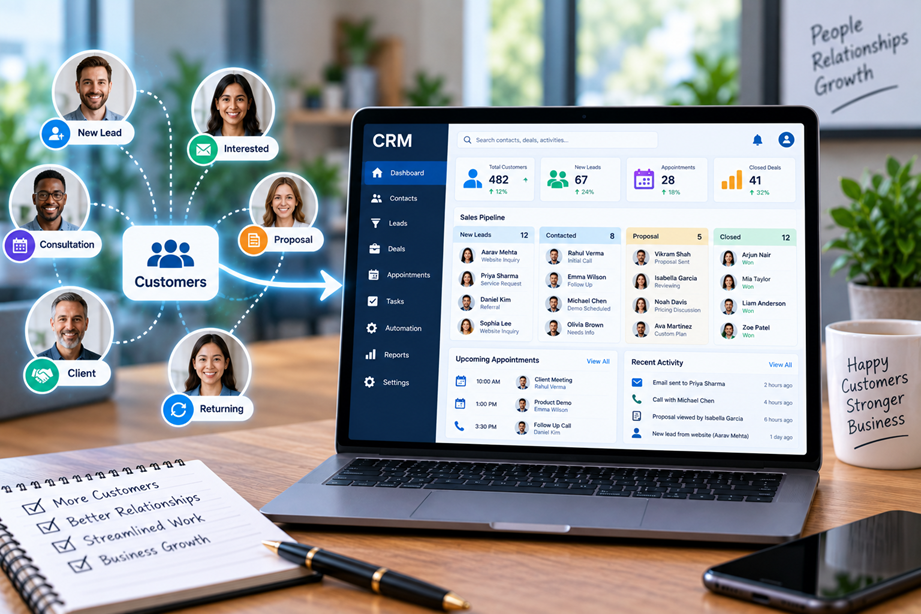
A service business does not stop needing customer information after a lead becomes a client. The team may need the full conversation history, next follow-up, project handoff, appointment details, invoices and notes months after the original inquiry. That makes service-business CRM different from a simple sales pipeline.
What makes a CRM useful for a service business?
The useful system should help the business capture leads, follow up consistently, understand the client relationship, hand work from sales to delivery and keep important information available to the people who need it.
Different service businesses still have different workflows. A consulting firm may care about proposals and long sales cycles. A home-service company may care more about scheduling and dispatch. An agency may need project and communication handoffs. The best CRM is therefore the one that matches the service model.
What to compare
Compare contact management, lead capture, pipeline customization, email and calendar integration, tasks and reminders, automation, forms, scheduling, reporting, permissions, integrations and pricing. Also look at how difficult the system is to configure and maintain.
Quick comparison
| Platform | Best for | Key strengths | Watch for |
|---|---|---|---|
| HubSpot CRM | Broad client and sales workflow | Contact management, pipeline, forms, automation and reporting | Advanced features may require paid hubs |
| Jobber | Field-service businesses | Client management, quoting, scheduling and service workflow | Best fit is industry-specific |
| HoneyBook | Client-based creative/service businesses | Lead capture, contracts, proposals, invoices and client workflow | Compare automation depth with dedicated CRMs |
| Zoho CRM | Customizable sales and service processes | Contacts, pipelines, automation, analytics and integrations | Setup can become more complex as customization grows |
HubSpot CRM: broad ecosystem fit
HubSpot provides CRM tools around contacts, deals, forms, communication, automation and reporting. For a service business, the main attraction can be having lead information and ongoing client activity in one system rather than scattered between email, spreadsheets and separate lead lists.
The trade-off is the product ecosystem. A simple CRM can become a much larger platform when additional hubs and paid features are added. Build the workflow you need first, then decide which capabilities justify the extra cost.
Jobber: built around field service
Jobber is designed for field-service businesses and connects client management with quoting, scheduling and work delivery. This makes the workflow fundamentally different from a general sales CRM.
If your team visits customers at their location, scheduling and job management can matter more than an elaborate lead pipeline. A general CRM may still be useful, but the industry-specific workflow can reduce the amount of customization needed.
HoneyBook: client workflow for independent service businesses
HoneyBook is designed around client relationships and workflows that can include inquiries, proposals, contracts and payments. This can fit independent professionals and creative/service businesses that want client communication and administration closer together.
Compare it with a dedicated CRM when your sales process becomes more complex. If you need several pipeline stages, detailed reporting or a large integration ecosystem, a traditional CRM may offer more flexibility.
Zoho CRM: customization and breadth
Zoho CRM provides contact, pipeline, automation, reporting and integration capabilities. The appeal for service businesses is flexibility: you can shape the workflow around the company's process rather than adopting an entirely fixed model.
Customization has a cost. More fields, rules and automation can increase setup and maintenance effort. Keep the system understandable for the people who actually use it every day.
Lead capture and follow-up
A useful CRM should make it easy to capture a lead and assign the next step. Forms, email integration and task reminders can prevent inquiries from sitting in an inbox until someone remembers them.
Look for simple rules such as “new lead → assigned owner → follow-up date → next action.” If the software makes that sequence harder than a spreadsheet, the business is not gaining much.
Client onboarding and sales-to-service handoff
The handoff from sales to delivery is one of the biggest reasons service businesses adopt CRM. A signed deal should not require someone to retype the client's information into another system.
Compare whether contacts, notes, deal information, files and agreed next steps can move into the delivery workflow. Integrations with project management, scheduling and invoicing systems can make a major difference.
Scheduling matters for some service businesses
Scheduling is critical when the service involves appointments or field visits. Other firms—such as consultants or agencies—may care more about meetings and follow-up tasks than dispatch.
This is why a single universal CRM ranking is misleading. Weight the features according to the actual service model.
Automation without chaos
Automation can create reminders, route leads, send emails and update fields. It is helpful when the action is predictable. It becomes a problem when nobody understands why a record changed or where a notification came from.
Start with a small number of obvious automations, document them and review whether they save time before adding more.
Reporting and visibility
Service businesses need answers such as: how many leads are open, which opportunities need follow-up, which clients have gone quiet and where work is coming from. Reporting should make those questions easier to answer.
Compare dashboard quality, filters, export options and whether the reports can be understood without an analyst building them every week.
Permissions and client data
CRMs often contain personal and commercial information. Decide who should be able to view or export contact records, deal values and internal notes. Review the provider's privacy and security documentation and set permissions intentionally.
Integrations
A CRM is rarely the only business system. Common connections include email, calendars, forms, accounting, invoicing, project management and marketing tools. Check the integrations you need before choosing a platform that looks good in isolation.
Implementation effort
A CRM project can fail before the software becomes useful. Before purchase, decide who will own the setup, how existing contacts will be migrated and which fields are required.
For a small service team, a lightweight system with a simple pipeline can outperform a highly customizable CRM that takes months to configure.
Pricing and total value
Compare the actual users, paid features, automation limits, reporting, integrations and onboarding effort. CRM pricing often becomes more complex when a business adds more functions, so the starting price is not the final cost.
Best choice by service-business situation
- Broad client and sales ecosystem: HubSpot CRM.
- Field-service workflow: Jobber.
- Independent client-service workflow: HoneyBook.
- Customizable CRM processes: Zoho CRM.
How to choose a CRM
- Map the journey from first inquiry to completed service.
- Identify where client information is currently duplicated.
- Choose the minimum pipeline stages you need.
- Decide which handoffs need automation.
- List required integrations.
- Assign a CRM owner before migrating data.
- Start with a simple workflow and add complexity only when it solves a real problem.
Use Tervilo tools around the CRM workflow
A CRM handles customer relationships, not every calculation or document task. Tervilo's practical tools can remain useful alongside a CRM when a salesperson or service professional needs to perform a quick calculation or process a document.
Final recommendation
There is no universal best CRM for every service business. HubSpot is strong when you want a broad CRM ecosystem, Jobber is better aligned with field service, HoneyBook fits independent client-service workflows, and Zoho CRM offers customization. The right choice is the one that simplifies the real path from inquiry to ongoing client relationship.
FAQ
Do service businesses need a CRM?
Not every business does. A CRM becomes more useful when lead follow-up, client history or handoffs are difficult to manage with email and spreadsheets.
Is a CRM the same as project management software?
No. CRM focuses on relationships, leads and client activity. Project management focuses on organizing delivery work. They often work together.
Should a small service business choose an industry-specific CRM?
Sometimes. An industry-focused system can reduce setup when the workflow closely matches the business, but a general CRM may offer more flexibility.
What is the first CRM feature to configure?
Start with the pipeline and follow-up process. Make sure every lead has an owner and a next action before building advanced automation.
Sources checked
Current product features and pricing should be verified before purchase.
CRM data quality matters
A CRM only becomes useful when records are current. Establish a small number of required fields, assign ownership and remove duplicate contacts before relying on reports. Otherwise, automation can scale bad data instead of solving the original problem.
Sales pipeline versus service relationship
A service business may have a short sales pipeline but a long relationship. The CRM should preserve context after the sale: previous conversations, preferences, open tasks, renewal dates and the people involved. This is one reason a service-oriented workflow can differ from a pure lead-generation CRM.
Renewals and repeat work
For retainers and repeat projects, reminders for renewal or follow-up can be more valuable than another lead-scoring feature. Compare recurring tasks, dates and workflow automation that help maintain existing relationships.
Migration from spreadsheets
Before importing a spreadsheet, decide which columns are truly useful. A clean list of contacts, owners, stages and next actions is usually better than moving every historical field into the new system.
During the first few weeks, review which fields people actually use. Remove unnecessary fields and automations rather than letting the CRM become a form-filling exercise.