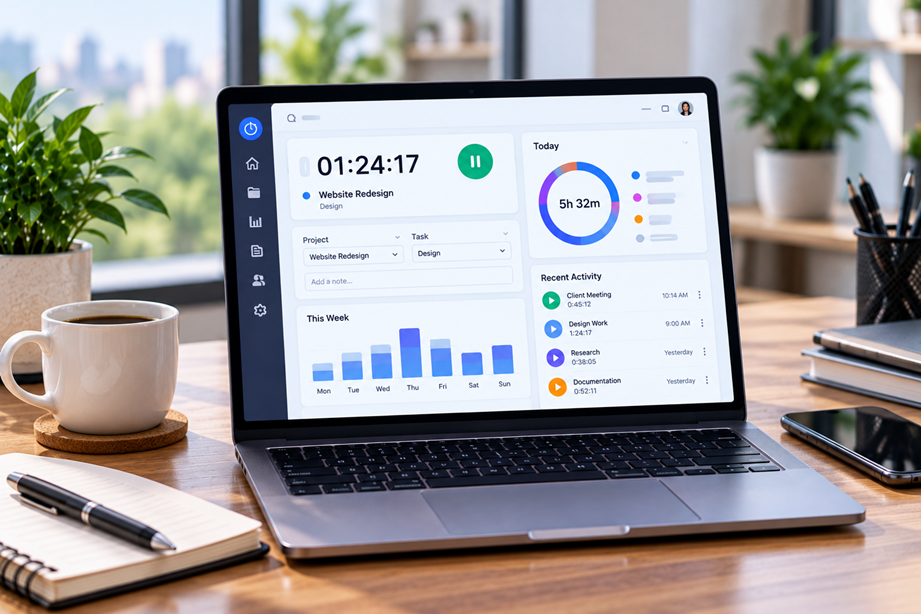
Freelancers need more than a stopwatch. A useful time-tracking system should help answer three practical questions: where did my time go, how much of it was billable, and am I spending more time on a project than planned? The best software makes those answers easy to produce without turning time tracking into another administrative task.
What freelancers should compare
Look at timer and manual entry options, clients and projects, billable versus non-billable time, reports, estimates, invoicing integrations, mobile and desktop access, reminders and privacy controls. If you work across many clients, reporting and project organization can matter more than a large collection of extra features.
Quick comparison
| Platform | Best for | Key strengths | Watch for |
|---|---|---|---|
| Toggl Track | Simple freelancer tracking | Timers, reports, billable rates and integrations | Advanced reporting varies by plan |
| Hubstaff | Time plus workforce controls | Time, reports, schedules and optional monitoring | Privacy policy needs careful consideration |
| Harvest | Time and client billing | Time, budgets, reports and invoicing | Compare plans and team size |
| Clockify | Flexible general tracking | Timers, timesheets and reports | Review advanced feature availability |
Toggl Track
Toggl Track currently offers timer and manual time entry, reports, billable rates, project estimates, mobile and desktop apps, calendar integration and a freelancer-focused workflow. Its current partner program is specifically open to SaaS reviewers and content creators and offers 30% of the first eligible payment from a new paid Toggl Track organization.
Toggl is a strong fit for freelancers who want easy time capture, clear project reporting and a relatively light workflow.
Hubstaff
Hubstaff's current product and affiliate pages position it around time tracking, project/task management, workforce reporting and related productivity features. Its affiliate program currently advertises up to 30% of revenue for 12 months with a 120-day cookie window.
Hubstaff can make more sense for freelancers who also collaborate with contractors or small teams and need broader operational controls.
Do you need automatic tracking?
Automatic tracking can help when work is fragmented across many apps, but it also raises privacy and review questions. For many solo freelancers, a simple timer and manual correction workflow is enough.
Billable vs non-billable time
Separate client work from internal administration. This makes your reports more useful and helps reveal whether a supposedly profitable project is consuming too much unpaid time.
Project estimates are useful
If a project is estimated at 20 hours and your tracking data shows that you are already near the limit, you can adjust scope or expectations before the project becomes a surprise overrun.
Reporting and invoicing
A good report should let you filter by client, project and task and show enough detail to support an invoice. Toggl currently documents detailed reports and branded invoicing workflows, while Hubstaff also emphasizes reporting and project management.
Privacy should be part of the decision
Freelancers often work with client confidentiality. Understand what automatic tracking records, where data is stored and what information appears in reports. More monitoring is not automatically better time tracking.
Use Tervilo for manual time calculations
Tervilo's Time Calculator and Hours Calculator are useful for checking durations, overnight work and manual time calculations when you do not need a full tracking platform.
How to choose
- Decide whether you need a simple timer or automatic tracking.
- List the clients and projects you need to manage.
- Determine whether billable rates and estimates are important.
- Check reporting and invoicing workflows.
- Review device support and privacy settings.
- Compare the plan that contains the features you will actually use.
Best fit by use case
- Solo freelancer with a simple workflow: Toggl Track.
- Freelancer moving toward team/project management: Hubstaff.
- Occasional duration calculation: Tervilo's time and hours tools.
Final recommendation
Start with the smallest tracking workflow that gives you trustworthy data. A freelancer who invoices by the hour may prioritize billable reporting; someone who prices projects may care more about estimates and profitability. Avoid paying for monitoring or administration features that add more work than they remove.
FAQ
Is automatic time tracking necessary for freelancers?
No. Manual timers are often sufficient when your work is organized and your goal is accurate billing or project estimates.
Can time-tracking software replace an invoice system?
Sometimes it can support invoicing, but check the exact workflow and integrations you need.
Why track non-billable time?
It reveals how much time is being spent on proposals, administration and other activities that affect your true hourly profitability.
Consider your pricing model
Hourly freelancers often need billable-time reports. Fixed-price freelancers can use tracking to compare actual effort with the original estimate. Retainers may require both project-level totals and recurring reporting. Choose a tool that supports the way you actually charge clients.
Do a short trial before committing
A time-tracking system becomes useful only when you remember to use it. Before paying, test whether starting timers, correcting entries and creating a client report fit naturally into your workday. Ease of adoption is a practical feature.
Turn time reports into business decisions
For freelancers, the value of tracking comes from what happens after the timer stops. Compare actual hours with estimates, identify work that regularly runs over budget, and use the pattern to improve scope or pricing.
Use consistent clients and projects
A simple naming system produces cleaner reports. Too many tags and categories can make it harder to understand where the time really went.
Be deliberate with monitoring
Some tools include screenshots, activity measurement or other monitoring features. Those are different from ordinary time tracking. Understand what is collected, why it is necessary and whether you can operate effectively without it.
Review the workflow regularly
A short weekly review can catch missing entries and reveal which projects need attention. A time tracker should reduce administrative uncertainty, not create another layer of reporting nobody reads.
Look for business value, not just hours
Time tracking can reveal where work expands beyond the original estimate, which clients consume more support time and which activities are not being billed. Those insights can improve pricing and project planning.
Keep the tracking model simple
Use consistent names for clients, projects and tasks. Avoid creating dozens of tags that make reports difficult to interpret. The tracker should make the work easier to understand.
Separate tracking from monitoring
Some products include screenshots, activity rates, app and URL tracking or location features. Those are materially different from a basic timesheet. If they are enabled, define the purpose, communicate the policy and verify that the approach is appropriate for the team.
Use the data to improve your business
Over time, time records can show which work is profitable, which projects are frequently underestimated and where administrative effort is growing. Review the data periodically instead of treating time tracking as a report that is generated and forgotten.
That makes the tracker a planning tool rather than another mandatory timesheet.
Use time data for estimating future work
After several projects, compare actual hours across similar tasks. That history can improve future estimates and help you set more realistic client expectations. The value of tracking grows when past data informs the next quote rather than staying in an old report.
Sources checked
Product features and program information can change. These official pages were checked during preparation; recheck the current plan, feature and partner terms before activation.