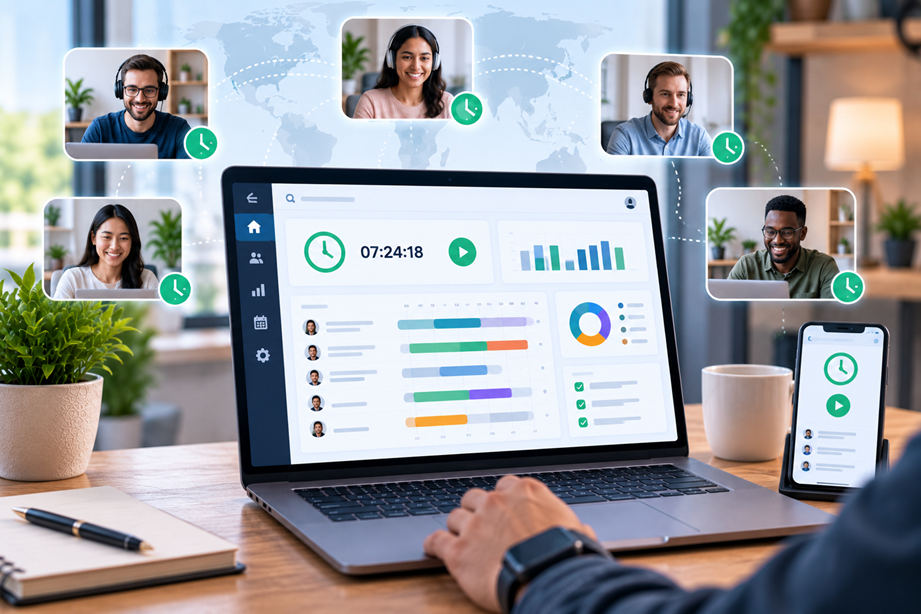
Remote teams need visibility into time without turning every workday into surveillance. The best time-tracking software should help a team understand project effort, budgets, workloads and billable time while remaining simple enough that people actually use it. For distributed teams, timezone handling, mobile access and privacy controls can matter just as much as the timer itself.
Time tracking is not the same as employee monitoring
These ideas are often mixed together. Time tracking records how long people spend on projects, tasks or clients. Employee monitoring can add screenshots, activity measurements, location data or other oversight. A remote team should decide which problem it is solving before it chooses a tool.
For project planning and client billing, detailed time records may be enough. Adding invasive monitoring can create a very different workplace policy. This comparison therefore treats privacy and transparency as part of the buying decision.
What remote teams should compare
Look at timer and manual-entry options, team reports, project and client structure, billable rates, approvals, workload views, integrations, mobile and desktop support, timezone behavior, permissions and pricing. Also check what managers can see and whether monitoring features are optional or built into the default workflow.
Quick comparison
| Platform | Best for | Key strengths | Watch for |
|---|---|---|---|
| Toggl Track | Simple team tracking and reporting | Web, desktop and mobile tracking, reports, billable rates and broad integrations | Review plan-based reporting and workflow features |
| Hubstaff | Time tracking with workforce-management features | Time, project tracking and additional workforce tools | Monitoring features require careful privacy policy decisions |
| Harvest | Time, projects and client billing | Time tracking, reporting, budgets and invoicing workflows | Compare features against team size and billing needs |
| Clockify | Flexible budget-conscious tracking | Timers, timesheets, reports and team tracking | Check advanced features and administration by plan |
Toggl Track: strong on simple adoption and reporting
Toggl Track currently supports time tracking through web, desktop and mobile apps and provides detailed reporting by clients, projects, tasks, users and billability. Its team-focused materials also document workload, utilization, profitability and approval features. citeturn525215search0turn525215search2turn525215search4
This makes it attractive to remote teams that want useful time data without making the timer itself the center of the employee-management experience. For client service work, billable rates and reporting can help connect time records to budgets and profitability. citeturn525215search3turn525215search7
Hubstaff: tracking plus workforce controls
Hubstaff combines time tracking with broader workforce-management capabilities. That can be useful for organizations that need more visibility than simple project timesheets provide.
The trade-off is policy complexity. If a platform offers monitoring features, decide whether those features are appropriate, how employees will be informed, and what data is actually necessary. The software should support the team's work policy rather than define it.
Harvest: useful when billing is central
Harvest is commonly positioned around time tracking, project management and invoicing. This can suit professional-service teams where time records directly support client billing and project budgets.
Before choosing it, review the current integrations and plan limits for the systems you already use. A team that wants advanced workforce management may need a different tool.
Clockify: flexible time tracking
Clockify provides timers, timesheets, reporting and team-oriented tracking. It can be useful for teams that want flexible time capture without immediately adopting a more specialized workforce platform.
Compare its current plan structure for the reports, approvals and administration features your team needs. Free or lower-cost availability can be helpful, but only if the workflow remains manageable.
Timezone handling matters in distributed teams
A team working across several time zones needs consistent project reporting. Make sure timestamps, daily totals and reports are understandable regardless of where the employee is located. Calendar integrations can also matter when teams want meetings or scheduled work to appear alongside tracked time.
Adoption is more important than perfect data
A theoretically precise system is not useful if people stop the timer, forget to enter time or feel the workflow is intrusive. The best time-tracking implementation is usually the simplest one that provides enough data for the business decision.
Use clear rules: what counts as billable time, when manual corrections are acceptable, which projects should be tracked and who reviews submitted timesheets. Consistency makes the reports more useful than a long list of optional fields.
Privacy and monitoring controls
For remote teams, explain what the system records before deployment. If screenshots, activity measurements, location information or other monitoring features are involved, consider whether they are necessary and proportionate to the work.
Privacy expectations can vary significantly by country and workplace. The software comparison should not be treated as legal advice; organizations should check local requirements and their own employment policies before enabling monitoring features.
Billable rates and profitability
Service teams often need more than hours. They need to understand what those hours mean financially. Compare billable rates, project budgets, estimated versus actual time, labor-cost tracking and profitability reporting.
Toggl Track currently documents billable rates, profitability and utilization reporting, while its current time-and-billing pages connect tracked time to invoices. citeturn525215search3turn525215search7
Approvals and corrections
Timesheet approvals matter when time data affects billing, payroll or project reporting. Compare whether managers can review submitted entries, correct errors and maintain a history of changes without turning the process into heavy administration.
Integrations
Remote teams often track time alongside project-management, communication and accounting systems. Check integrations with the tools your team already relies on. A time tracker that forces manual exports every week may create more work than it removes.
Mobile and desktop support
Remote work does not always happen at a desk. People may join a client call from a phone, move between locations or finish a task away from their primary computer. Check the available apps and whether the experience is consistent enough across devices.
Pricing and value
Compare cost for the actual number of active users and the reports you need. A low per-user price can become expensive when required reporting or project controls sit behind an upgrade.
Best choice by team situation
- Simple, reporting-focused remote team: Toggl Track.
- Time tracking plus workforce controls: Hubstaff.
- Client billing and project time: Harvest.
- Flexible time tracking with broad use cases: Clockify.
How to roll out time tracking without creating resistance
- Explain why the team is tracking time.
- Define what must be tracked and what does not need tracking.
- Choose the smallest set of required fields.
- Document privacy and monitoring settings.
- Pilot the workflow with one project.
- Review reports before expanding the process.
Use Tervilo for quick time calculations
A full time-tracking platform is designed for ongoing records. For a one-time duration calculation or simple work-hours check, a focused Tervilo calculator can be faster and easier.
Final recommendation
Remote teams should choose time tracking based on the business decision behind the data. Toggl Track is compelling for simple tracking and detailed reporting, Hubstaff adds broader workforce controls, Harvest fits teams that connect time and client billing, and Clockify offers a flexible general-purpose approach. Privacy, adoption and workflow fit should come before the number of features.
FAQ
Should remote teams use employee monitoring?
Not automatically. Time tracking and monitoring solve different problems. Choose the minimum data needed for legitimate project or business decisions and follow applicable workplace rules.
Is time tracking useful for salaried teams?
It can be, especially for project planning, workload analysis, utilization or client work. The reason for tracking should be clear to the team.
Which time tracker is best for remote teams?
It depends on whether you prioritize simple reporting, workforce controls, billing or flexible tracking. There is no universal winner.
How should teams handle forgotten timers?
Set a simple correction process and avoid making perfect timer data the goal. Consistent, reviewable records are more useful than a complicated workflow.
Sources checked
Current product capabilities and plans should be verified before purchase.
Team adoption and data quality
The quality of a team's time data depends on consistent habits. Set simple rules for project names, billable status, manual corrections and when timers should be stopped. Too many required fields encourage incomplete entries.
Use reporting to identify gaps rather than turning every missed entry into a disciplinary issue. When people understand what the data is meant to improve, adoption is easier.
Capacity planning and workload
Remote teams can use time data to compare planned capacity with actual work. Look for reports that help identify overloaded team members, underused capacity and projects consuming more time than expected. Treat these patterns as planning signals rather than automatic judgments about individual performance.
Client transparency
For agencies and consultants, shareable time reports can build confidence with clients. Compare whether reports can be filtered by project, user and billability and whether exports are easy for an outside stakeholder to understand.
For distributed work, also review how reports display local dates and daily boundaries. A report that is technically accurate but confusing across time zones can create avoidable disputes about hours.
It is also worth checking whether the reporting view matches the decisions managers actually make. A team may need project profitability, while another mainly needs workload or client billing. Choose the reports that answer real questions.